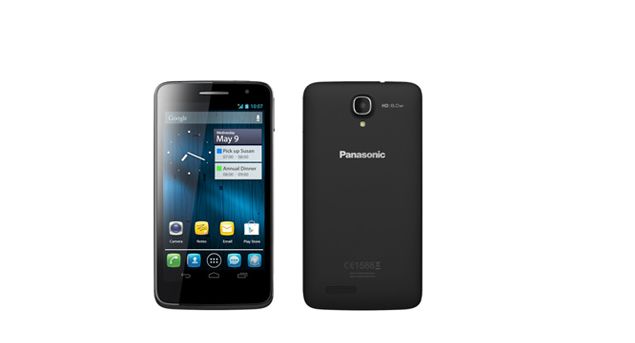
- This Phone has the latest Android OS (4.2 Jelly BEAN)
- The resolutions is fantastic 1280*720 pix.
- Battery is 2500 mAh
- Internal Memory is 4GB
- Camera:Rear 8MP and Front 1.3 MP
- It also has a 5inch screen
- Its priced at 26900 rs.

It allows the applications to sync, send, and receive data at any time. Therefore, disabling the Background data will reduce the use of battery.
All applications installed on your Samsung Galaxy Pocket that have a privilege to sync on your phone may send an updates or notification.
Also, your phone keeps on scanning available WiFi networks if this option is enabled. Turning off this option will save more battery.
Go to your Settings -> Display -> Brightness
normally, lower than 50% brightness level is enough to use during day time.
and 35% brightness level is enough to use during night time. It's still up to you on what brightness level you want.
Go to your Settings -> Wireless and networks -> Mobile networks
check Use packet data only when you want to internet using your mobile data connection. Unchecking this option doesn't mean that you couldn't receive SMS or calls.
I installed this app on my phone
https://play.google.com/store/apps/details?id=com.a0soft.gphone.aDataOnOff&feature=search_result
I am not affiliate with that app, I just want to share what I have on my phone. You can search battery saving applications on play.google.com then read first what the users review for the app then based on what you've read, decide whether to install it or not.
That application helps me to automatically turn ON/OFF my WiFi and Mobile data connection and other stuffs, which helps save the battery of my phone.
The surface of your phone will overheat if you are using it for more than an hour or more. But there are instances that when you leave your phone unused, and then hold it afterwards, it felt hot. This is because at that moment your phone was continuously running and draining your battery.
To prevent this to happen again, simply follow the 6-steps I have given at the top on how to conserve your Samsung Galaxy Pocket's battery

