Showing posts with label Secret Codes. Show all posts

Secret Codes Of Samsung Galaxy Star Pro GT-S7260,New Galaxy Star Pro Hidden Code


Here i am going to show you how to access the internal function of Galaxy Star Pro GT-S7260 for testing
the various hardware parts of your phone if it is working properly or not with the help of this secret code you can test lcd, vibration, camera, sensor (accelerometer sensor, proximity sensor, magnetic sensor), touch screen, speaker, sub key, etc... if you have any hardware problem with your galaxy Star Pro you can identify with this code if it is working or not to do this follow the steps below.
First of all open your keypad


Then dial the secret code *#0*#. Now you get a screen with title LCD TEST and below that you have lots of option to test various hardware parts of your phone such as speaker, sensor, lcd, etc
To go back use right physical button
while testing the touch you have to touch and mark all the squares back button does not work
Other use full secret codes for android phone tested on galaxy Star pro


  • * #1234# to check software version of phone.
  • *#12580*369# to check software and hardware information.
  • *#0228# Battery status (ADC, RSSI reading)
  • *#32489# Service mode
  • *#7780# factory data reset galaxy Star pro
  • *2767*3855# Full factory reset (Don't dial it does not ask you to confirm unless you have problem)
These codes will work on all the models of galaxy series.

Apple iPhone 5C Secret Codes, New Apple iPhone 5C Hidden Code To Access Internal Features


iPhone is the most popular mobile phone in the whole world among peoples of all category as it satisfy needs for all generations. It can be used as a multimedia device, office gadget, gaming console etc.

Apple Iphone 5C Colors

There are some secret codes on mobile phones that very few users know. Apple iPhone Smartphone’s operating system iOS also have some secret codes for multiple purposes like easy access to setting and etc. With these hidden codes for iPhone you will get full information about your iPhone and view or modify the parameters used.

Here I am giving you some secret codes of iPhone 5 which will help you to troubleshoot some problems or just to check functionality of you mobile.

                                                                                          
Here are secret codes for all models of Apple iPhone

1. *3001#12345#* and tap Call. 
Enter Field Mode. Field mode contains lots of iPhone inner settings, especially newest network and cell information.

2. *#06# 
Shows your IMEI. No need to tap Call. IMEI is the unique identifier for your mobile phone hardware.

3. *777# and tap Call. 
Account balance for prepaid iPhone only.

4. *225# and tap Call. 
Bill Balance. ( Postpaid only )

5. *646# and tap Call. 
Check minutes ( Postpaid only ).

6. *#21# and tap Call. 
Set interrogation for call forwards. Discover the settings for your call forwarding.
You’ll see whether you have voice, data, fax, SMS, sync, async, packet access, and pad access call forwarding enabled or disabled.

7. *#30# + tap Call. 
Check the calling line presentation. This shows whether you have enabled or disabled the presentation of the calling line, presumably the number of the party placing the call.

8. *#76# and tap Call. 
Check whether the connected line presentation is enabled or not. State whether the connected line presentation is enabled or disabled. Similar to the calling line presentation.

9. *#43# and tap Call. 
Determine if call waiting is enabled. Shows call waiting status for voice, data, fax, SMS, sync data, async data, packet access and pad access. Each item is either enabled or disabled.

10. *#61# and tap Call. 
Check the number for unanswered calls. Show the number for voice call forwarding when a call is unanswered. Also show the options for data, fax, SMS, sync, async, packet access and pad access.

11. *#62# and tap Call. 
Check the number for call forwarding if no service is available. Just like the previous, except for no-service rather than no-answer situations.

12. *#67# and tap Call. 
Check the number for call forwarding when the iPhone is busy. And again, but for when the iPhone is busy.

13. *#33# and tap Call. 
Check for call control bars. Check all the usual suspects ( voice, data, fax,SMS, etc ) to see whether barring is enabled or disabled for outgoing.


Apple iPhone 5s Secret Codes, New Apple iPhone 5S Hidden Code


iPhone is the most popular mobile phone in the whole world among peoples of all category as it satisfy needs for all generations. It can be used as a multimedia device, office gadget, gaming console etc.


Here I am giving you some secret codes of iPhone 5S which will help you to troubleshoot some problems or just to check functionality of you mobile.

                                                                                          
Here are secret codes for all models of Apple iPhone

1. *3001#12345#* and tap Call. 
Enter Field Mode. Field mode contains lots of iPhone inner settings, especially newest network and cell information.

2. *#06# 
Shows your IMEI. No need to tap Call. IMEI is the unique identifier for your mobile phone hardware.

3. *777# and tap Call. 
Account balance for prepaid iPhone only.

4. *225# and tap Call. 
Bill Balance. ( Postpaid only )

5. *646# and tap Call. 
Check minutes ( Postpaid only ).

6. *#21# and tap Call. 
Set interrogation for call forwards. Discover the settings for your call forwarding.
You’ll see whether you have voice, data, fax, SMS, sync, async, packet access, and pad access call forwarding enabled or disabled.

7. *#30# + tap Call. 
Check the calling line presentation. This shows whether you have enabled or disabled the presentation of the calling line, presumably the number of the party placing the call.

8. *#76# and tap Call. 
Check whether the connected line presentation is enabled or not. State whether the connected line presentation is enabled or disabled. Similar to the calling line presentation.

9. *#43# and tap Call. 
Determine if call waiting is enabled. Shows call waiting status for voice, data, fax, SMS, sync data, async data, packet access and pad access. Each item is either enabled or disabled.

10. *#61# and tap Call. 
Check the number for unanswered calls. Show the number for voice call forwarding when a call is unanswered. Also show the options for data, fax, SMS, sync, async, packet access and pad access.

11. *#62# and tap Call. 
Check the number for call forwarding if no service is available. Just like the previous, except for no-service rather than no-answer situations.

12. *#67# and tap Call. 
Check the number for call forwarding when the iPhone is busy. And again, but for when the iPhone is busy.

13. *#33# and tap Call. 
Check for call control bars. Check all the usual suspects ( voice, data, fax,SMS, etc ) to see whether barring is enabled or disabled for outgoing.


Apple iPhone 5 Secret Codes, New Apple iPhone 5 Hidden Code


iPhone is the most popular mobile phone in the whole world among peoples of all category as it satisfy needs for all generations. It can be used as a multimedia device, office gadget, gaming console etc.


There are some secret codes on mobile phones that very few users know. Apple iPhone Smartphone’s operating system iOS also have some secret codes for multiple purposes like easy access to setting and etc. With these hidden codes for iPhone you will get full information about your iPhone and view or modify the parameters used.

Here I am giving you some secret codes of iPhone 5 which will help you to troubleshoot some problems or just to check functionality of you mobile.

                                                                                          
Here are secret codes for all models of Apple iPhone

1. *3001#12345#* and tap Call. 
Enter Field Mode. Field mode contains lots of iPhone inner settings, especially newest network and cell information.

2. *#06# 
Shows your IMEI. No need to tap Call. IMEI is the unique identifier for your mobile phone hardware.

3. *777# and tap Call. 
Account balance for prepaid iPhone only.

4. *225# and tap Call. 
Bill Balance. ( Postpaid only )

5. *646# and tap Call. 
Check minutes ( Postpaid only ).

6. *#21# and tap Call. 
Set interrogation for call forwards. Discover the settings for your call forwarding.
You’ll see whether you have voice, data, fax, SMS, sync, async, packet access, and pad access call forwarding enabled or disabled.

7. *#30# + tap Call. 
Check the calling line presentation. This shows whether you have enabled or disabled the presentation of the calling line, presumably the number of the party placing the call.

8. *#76# and tap Call. 
Check whether the connected line presentation is enabled or not. State whether the connected line presentation is enabled or disabled. Similar to the calling line presentation.

9. *#43# and tap Call. 
Determine if call waiting is enabled. Shows call waiting status for voice, data, fax, SMS, sync data, async data, packet access and pad access. Each item is either enabled or disabled.

10. *#61# and tap Call. 
Check the number for unanswered calls. Show the number for voice call forwarding when a call is unanswered. Also show the options for data, fax, SMS, sync, async, packet access and pad access.

11. *#62# and tap Call. 
Check the number for call forwarding if no service is available. Just like the previous, except for no-service rather than no-answer situations.

12. *#67# and tap Call. 
Check the number for call forwarding when the iPhone is busy. And again, but for when the iPhone is busy.

13. *#33# and tap Call. 
Check for call control bars. Check all the usual suspects ( voice, data, fax,SMS, etc ) to see whether barring is enabled or disabled for outgoing.


Secret Codes Of Samsung Galaxy Fame GT-s6810,New Galaxy Fame Hidden Code


Here i am going to show you how to access the internal function of galaxy Fame for testing the various hardware parts of your phone if it is working properly or not with the help of this secret code you can test lcd, vibration, camera, sensor (accelerometer sensor, proximity sensor, magnetic sensor), touch screen, speaker, sub key, etc... if you have any hardware problem with your galaxy Fame you can identify with this code if it is working or not to do this follow the steps below.
First of all open your keypad


Then dial the secret code *#0*#. Now you get a screen with title LCD TEST and below that you have lots of option to test various hardware parts of your phone such as speaker, sensor, lcd, etc
To go back use right physical button
while testing the touch you have to touch and mark all the squares back button does not work
Other use full secret codes for android phone tested on galaxy Fame


  • * #1234# to check software version of phone.
  • *#12580*369# to check software and hardware information.
  • *#0228# Battery status (ADC, RSSI reading)
  • *#32489# Service mode
  • *#7780# factory data reset galaxy mega Fame
  • *2767*3855# Full factory reset (Don't dial it does not ask you to confirm unless you have problem)
These codes will work on all the models of galaxy series.

Secret Codes Of Samsung Galaxy Core GT-i8262,New Galaxy Core Hidden Code


Samsung Galaxy Core I8262: Mobile

Here i am going to show you how to access the internal function of galaxy Core GT-i8262 for testing the various hardware parts of your phone if it is working properly or not with the help of this secret code you can test lcd, vibration, camera, sensor (accelerometer sensor, proximity sensor, magnetic sensor), touch screen, speaker, sub key, etc... if you have any hardware problem with your galaxy Core you can identify with this code if it is working or not to do this follow the steps below.
First of all open your keypad


Then dial the secret code *#0*#. Now you get a screen with title LCD TEST and below that you have lots of option to test various hardware parts of your phone such as speaker, sensor, lcd, etc
To go back use right physical button
while testing the touch you have to touch and mark all the squares back button does not work
Other use full secret codes for android phone tested on galaxy Core


  • * #1234# to check software version of phone.
  • *#12580*369# to check software and hardware information.
  • *#0228# Battery status (ADC, RSSI reading)
  • *#32489# Service mode
  • *#7780# factory data reset galaxy Core
  • *2767*3855# Full factory reset (Don't dial it does not ask you to confirm unless you have problem)
These codes will work on all the models of galaxy series.

Secret Codes Of Samsung Galaxy Ace 3 GT-S7270,New Galaxy Ace Three Hidden Code


Here i am going to show you how to access the internal function of galaxy Ace 3 for testing the various hardware parts of your phone if it is working properly or not with the help of this secret code you can test lcd, vibration, camera, sensor (accelerometer sensor, proximity sensor, magnetic sensor), touch screen, speaker, sub key, etc... if you have any hardware problem with your galaxy Ace 3 you can identify with this code if it is working or not to do this follow the steps below.
First of all open your keypad


Then dial the secret code *#0*#. Now you get a screen with title LCD TEST and below that you have lots of option to test various hardware parts of your phone such as speaker, sensor, lcd, etc
To go back use right physical button
while testing the touch you have to touch and mark all the squares back button does not work
Other use full secret codes for android phone tested on galaxy Ace 3


  • * #1234# to check software version of phone.
  • *#12580*369# to check software and hardware information.
  • *#0228# Battery status (ADC, RSSI reading)
  • *#32489# Service mode
  • *#7780# factory data reset galaxy Ace 3
  • *2767*3855# Full factory reset (Don't dial it does not ask you to confirm unless you have problem)
These codes will work on all the models of galaxy series.

Samsung Galaxy Note 3 N9000 Secret Codes,New Galaxy Note Three Hidden Code


Here I am going to show you how to access the internal function of galaxy Note 3 for testing the various hardware parts of your phone if it is working properly or not with the help of this secret code you can test lcd, vibration, camera, sensor (accelerometer sensor, proximity sensor, magnetic sensor), touch screen, speaker, sub key, etc... if you have any hardware problem with your galaxy Note 3 you can identify with this code if it is working or not to do this follow the steps below.
First of all open your keypad


Then dial the secret code *#0*#. Now you get a screen with title LCD TEST and below that you have lots of option to test various hardware parts of your phone such as speaker, sensor, lcd, etc
To go back use right physical button
while testing the touch you have to touch and mark all the squares back button does not work
Other use full secret codes for android phone tested on galaxy Note 3


  • * #1234# to check software version of phone.
  • *#12580*369# to check software and hardware information.
  • *#0228# Battery status (ADC, RSSI reading)
  • *#32489# Service mode
  • *#7780# factory data reset galaxy Note 3
  • *2767*3855# Full factory reset (Don't dial it does not ask you to confirm unless you have problem)
These codes will work on all the models of galaxy series.

Secret Codes Of Samsung Galaxy Mega GT-i9150,New Galaxy Mega Hidden Code


Here i am going to show you how to access the internal function of galaxy mega GT-i9150 for testing the various hardware parts of your phone if it is working properly or not with the help of this secret code you can test lcd, vibration, camera, sensor (accelerometer sensor, proximity sensor, magnetic sensor), touch screen, speaker, sub key, etc... if you have any hardware problem with your galaxy mega GT-i9150 you can identify with this code if it is working or not to do this follow the steps below.
First of all open your keypad


Then dial the secret code *#0*#. Now you get a screen with title LCD TEST and below that you have lots of option to test various hardware parts of your phone such as speaker, sensor, lcd, etc
To go back use right physical button
while testing the touch you have to touch and mark all the squares back button does not work
Other use full secret codes for android phone tested on galaxy Mega GT-i9150


  • * #1234# to check software version of phone.
  • *#12580*369# to check software and hardware information.
  • *#0228# Battery status (ADC, RSSI reading)
  • *#32489# Service mode
  • *#7780# factory data reset galaxy mega GT-i9150
  • *2767*3855# Full factory reset (Don't dial it does not ask you to confirm unless you have problem)
These codes will work on all the models of galaxy series.

Samsung Galaxy S3 Mini Secret Codes,New Galaxy S Three Mini Hidden Code


Here i am going to show you how to access the internal function of Galaxy S3 Mini for testing the
various hardware parts of your phone if it is working properly or not with the help of this secret code you can test lcd, vibration, camera, sensor (accelerometer sensor, proximity sensor, magnetic sensor), touch screen, speaker, sub key, etc... if you have any hardware problem with your Galaxy S3 Mini you can identify with this code if it is working or not to do this follow the steps below.
First of all open your keypad


Then dial the secret code *#0*#. Now you get a screen with title LCD TEST and below that you have lots of option to test various hardware parts of your phone such as speaker, sensor, lcd, etc
To go back use right physical button
while testing the touch you have to touch and mark all the squares back button does not work
Other use full secret codes for android phone tested on Galaxy S3 Mini


  • * #1234# to check software version of phone.
  • *#12580*369# to check software and hardware information.
  • *#0228# Battery status (ADC, RSSI reading)
  • *#32489# Service mode
  • *#7780# factory data reset galaxy S3 Mini
  • *2767*3855# Full factory reset (Don't dial it does not ask you to confirm unless you have problem)
These codes will work on all the models of galaxy series.

Apple iPhone 4S Secret Codes, New Apple iPhone 4S Hidden Code


iPhone is the most popular mobile phone in the whole world among peoples of all category as it satisfy needs for all generations. It can be used as a multimedia device, office gadget, gaming console etc.


Here I am giving you some secret codes of iPhone 4S which will help you to troubleshoot some problems or just to check functionality of you mobile.


Here are secret codes for all models of Apple iPhone

1. *3001#12345#* and tap Call. 
Enter Field Mode. Field mode contains lots of iPhone inner settings, especially newest network and cell information.

2. *#06# 
Shows your IMEI. No need to tap Call. IMEI is the unique identifier for your mobile phone hardware.

3. *777# and tap Call. 
Account balance for prepaid iPhone only.

4. *225# and tap Call. 
Bill Balance. ( Postpaid only )

5. *646# and tap Call. 
Check minutes ( Postpaid only ).

6. *#21# and tap Call. 
Set interrogation for call forwards. Discover the settings for your call forwarding.
You’ll see whether you have voice, data, fax, SMS, sync, async, packet access, and pad access call forwarding enabled or disabled.

7. *#30# + tap Call. 
Check the calling line presentation. This shows whether you have enabled or disabled the presentation of the calling line, presumably the number of the party placing the call.

8. *#76# and tap Call. 
Check whether the connected line presentation is enabled or not. State whether the connected line presentation is enabled or disabled. Similar to the calling line presentation.

9. *#43# and tap Call. 
Determine if call waiting is enabled. Shows call waiting status for voice, data, fax, SMS, sync data, async data, packet access and pad access. Each item is either enabled or disabled.

10. *#61# and tap Call. 
Check the number for unanswered calls. Show the number for voice call forwarding when a call is unanswered. Also show the options for data, fax, SMS, sync, async, packet access and pad access.

11. *#62# and tap Call. 
Check the number for call forwarding if no service is available. Just like the previous, except for no-service rather than no-answer situations.

12. *#67# and tap Call. 
Check the number for call forwarding when the iPhone is busy. And again, but for when the iPhone is busy.

13. *#33# and tap Call. 
Check for call control bars. Check all the usual suspects ( voice, data, fax,SMS, etc ) to see whether barring is enabled or disabled for outgoing.

Secret Codes Of New Nokia Lumia 1020| Nokia Lumnia Codes


Secret codes in a mobile helps user to check proper functionality of mobile, unlock hidden features ,or to diagnose the mobile. Such a code is also there in the mobiles of Nokia lumia series. The code will open a diagnostic tool and it give you access to test all the hardware of the phone if it is working properly or not. You can use this feature to check your phone to make sure that all hardware is working properly, such as cameras and dead pixels on your LCD screen and much more.


Nokia Lumia 1020


To access the diagnostic tools on Nokia Lumia 800 open Phone Dialer and enter the code ##634# this will trigger the tools menu and you will see the list of below tools:-

Accelerometer
ALS
Audio Loopback
DTMF
Hardware Buttons
Bluetooth
Camera
Battery Status
Headset Detection
LCD White
Lights
Magnetometer
Power Source
Proximity
Speaker
Touch
Vibration

This code will work on all the models of Nokia lumia series like Lumia920, lumia800, lumia710 etc.

Kudi Tu Butter Latest Song By Yo Yo Honey Singh HD Video| Download Song


Kudi Tu Butter is the latest song sung by Punjabi Rapper Yo Yo Honey Singh in a bollywood movie Bhajatey Raho which is a comedy thriller movie starring Tusshar Kapoor, Vinay Pathak, Dolly Aluwahlia and Vishakha Singh.
He has also given raps in many bollywood movies like Cocktail, Khiladi 786 etc you can see-

Songs sung by Honey Singh in Bollywood movies


Lyrics are written by Assem Ahmd Abbass and Honey Singh.

This track is Composed and Sung by Yo Yo Honey Singh himself.
This is the next song of honey Singh after Bebo.

Watch Kudi Tu Butter Latest Video Song By Honey Singh


This is a awesome song sung by Honey Singh


Samsung Galaxy S4 Zoom Secret Codes,New Galaxy S Four Zoom Hidden Code


Here i am going to show you how to access the internal function of galaxy S4 Zoom for testing the various hardware parts of your phone if it is working properly or not with the help of this secret code you can test lcd, vibration, camera, sensor (accelerometer sensor, proximity sensor, magnetic sensor), touch screen, speaker, sub key, etc... if you have any hardware problem with your galaxy S4 Zoom you can identify with this code if it is working or not to do this follow the steps below.
First of all open your keypad


Then dial the secret code *#0*#. Now you get a screen with title LCD TEST and below that you have lots of option to test various hardware parts of your phone such as speaker, sensor, lcd, etc
To go back use right physical button
while testing the touch you have to touch and mark all the squares back button does not work
Other use full secret codes for android phone tested on galaxy S4 Zoom


  • * #1234# to check software version of phone.
  • *#12580*369# to check software and hardware information.
  • *#0228# Battery status (ADC, RSSI reading)
  • *#32489# Service mode
  • *#7780# factory data reset galaxy S4 Zoom
  • *2767*3855# Full factory reset (Don't dial it does not ask you to confirm unless you have problem)
These codes will work on all the models of galaxy series.

Samsung Galaxy S4 Mini I9190 Secret Codes,New Galaxy S Four Mini Hidden Code


Here i am going to show you how to access the internal function of galaxy S4 Mini for testing the various hardware parts of your phone if it is working properly or not with the help of this secret code you can test lcd, vibration, camera, sensor (accelerometer sensor, proximity sensor, magnetic sensor), touch screen, speaker, sub key, etc... if you have any hardware problem with your galaxy S4 Mini you can identify with this code if it is working or not to do this follow the steps below.
First of all open your keypad


Then dial the secret code *#0*#. Now you get a screen with title LCD TEST and below that you have lots of option to test various hardware parts of your phone such as speaker, sensor, lcd, etc
To go back use right physical button
while testing the touch you have to touch and mark all the squares back button does not work
Other use full secret codes for android phone tested on galaxy S4 Mini


  • * #1234# to check software version of phone.
  • *#12580*369# to check software and hardware information.
  • *#0228# Battery status (ADC, RSSI reading)
  • *#32489# Service mode
  • *#7780# factory data reset galaxy S4 Mini
  • *2767*3855# Full factory reset (Don't dial it does not ask you to confirm unless you have problem)
These codes will work on all the models of galaxy series.

Samsung Galaxy S4 Mini and Zoom Launched In India| Price And Specifications


Samsung has been known for its high end smartphones in India and whole world. Each of its release gets a huge popularity in smartphones market and it keeps on releasing new smartphones nearly every month.

Now it has released two smartphones under galaxy S4 label which are Samsung galaxy S4 mini and Samsung galaxy S4 zoom which are supposed to rock the market.

Samsung galaxy S4 zoom

These two phones will have tough competition with new Micromax Canvas 4 which was recently released under price tag of Rs.18,000


Next big thing will be its price,

Price of Samsung galaxy S4 mini is Rs.28,000 (nearly same as galaxy S3)
Price of Samsung galaxy S4 zoom is Rs.35,000 (nearly same as galaxy S4)

Key Specifications of galaxy S4 mini are
  • 4.3 inch touch screen 
  • Latest android version 4.2.2
  • Dual core 1.7 Ghz Processor
  • 8 GB storage
  • 1.5 GB ram
  • 8 MP rear and 2 MP front Camera
  • NFC, 3G, LTE, Wifi, Bluetooth
  • 1900 mah battery
  • 107 gm weight 
Specifications of galaxy S4 zoom is same as of galaxy S4 mini with camera of 16 megapixel.

Click here to secret codes of Samsung galaxy S4

Best 5 New Dual SIM Android Mobiles Of Samsung With Price and Specifications


Samsung is the largest android mobiles seller in India. It has launched many mobile phones which are in the budget of people.
Galaxy Mega Dual Sim Mobile

Keeping Indian market in mind it has also launched many Dual SIM android mobile phones in recent year.
In Dual SIM mobiles you can use 2 sim card simultaneously of different operators. Earlier only cheap companies were making dual sim mobile phones but now some biggest names in market like Samsung are launching its dual sim mobile phones

Click here to know secret codes of samsung mobile

Here is a list of best dual sim mobiles from samsung


1. Samsung Galaxy Mega

This is latest mobile launched by samsung with the biggest screen

Price - Rs. 24000(5.8 inch screen) and Rs. 30000(6.3 inch screen)

 Key Specifications
  • Android v4.2.2 (Jelly Bean) OS
  • 1.9 MP Secondary Camera
  • 5.8-inch TFT Capacitive Touchscreen
  • 1.4 GHz Dual Core Processor
  • Expandable Storage Capacity of 64 GB
  • Full HD Recording
  • Wi-Fi Enabled
  • 8 MP Primary Camera

2. Samsung Galaxy Grand 

This is cheapest mobile by samsung with biggest screen of 5 inches and good features

Price - Rs. 19000

Key Specifications
  • 8 MP Primary Camera and 2 MP Secondary Camera
  • Expandable Storage Capacity of 64 GB
  • Android v4.1 (Jelly Bean) OS
  • Full HD Recording
  • Multi Window
  • 1.2 GHz Dual Core Processor
  • Dual Standby SIM (GSM + GSM)
  • 5-inch Capacitive Touchscreen


3. Samsung Galaxy S Duos 

This mobile belongs to the famous Galaxy S series of Samsung smartphones and is the best dual SIM phone if you do not need big screen.

Price - Rs. 12000

Key Specifications
  • Dual SIM (GSM + GSM)
  • 5 MP Primary Camera
  • 0.3 MP Secondary Camera
  • 4-inch TFT Capacitive Touchscreen
  • 1 GHz Cortex-A5 Processor
  • Wi-Fi Enabled
  • FM Radio
  • Expandable Storage Capacity of 32 GB
  • Android v4.0 (Ice Cream Sandwich) OS

4. Samsung Galaxy Ace Duos 

Once Galaxy Ace was best mobile from samsung as it gave all the features to the customer for the price they are paying with good screen and camera. Samsung galaxy ace duos is the duos version of this phone.

Price - Rs. 8000

Key Specifications
  • Android v2.3 (Gingerbread) OS
  • 5 MP Primary Camera
  • Smart Dual Active SIM (GSM + GSM)
  • 832 MHz Processor
  • Expandable Storage Capacity of 32 GB
  • Wi-Fi Enabled
  • 3.5-inch Capacitive Touchscreen
  • FM Radio

5. Samsung Galaxy Y Duos

Samsung galaxy Y was on of the biggest achivement of samsung as at such a cheap price it was offering android and a great hardware. Galaxy Y duos is also the duos version of this phone with bigger screen and camera

Price - Rs. 6500

Key Speifications
  • 3 MP Primary Camera
  • Dual Standby SIM (GSM + GSM)
  • 832 MHz Processor
  • Expandable Storage Capacity of 32 GB
  • Android v2.3 (Gingerbread) OS
  • 3.14-inch Capacitive Touchscreen
  • Wi-Fi Enabled

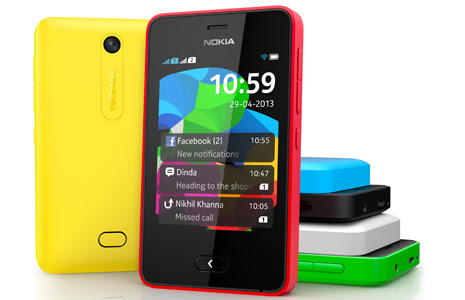
Secret Codes Of Nokia Asha Series All Models Phones, New Nokia Asha Hidden Code


Nokia Asha is the range of smart phones recently launched by Nokia which range from low to mid level phones.
(these codes will work on all models of Nokia Asha Series)


So here I am giving you a complete list of secret codes which can be used on all the models of Nokia Asha series smartphones.

1. *#0000# - display software version

2. *#7780# - reset to factory settings

3. *#06# - Display IMEI number

4. *#92702689# - This code will take you to a secret menu where you will find following information
                               1. Displays Serial Number.
                               2. Displays the Month and Year of Manufacture
                               3. Displays (if there) the date where the phone was purchased (MMYY)
                               4. Displays the date of the last repair – if found (0000)
                               5. Shows life timer of phone (time passes since last start)

5. *3370# - activates the reserved battery on your phone

6. *#73# - reset timers and game scores


  These codes are not tested by so use on your own risk

Samsung Galaxy Note 2 N7100 Secret Codes,New Galaxy Note Two Hidden Code


Here i am going to show you how to access the internal function of galaxy Note 2 for testing the various hardware parts of your phone if it is working properly or not with the help of this secret code you can test lcd, vibration, camera, sensor (accelerometer sensor, proximity sensor, magnetic sensor), touch screen, speaker, sub key, etc... if you have any hardware problem with your galaxy Note 2 you can identify with this code if it is working or not to do this follow the steps below.
First of all open your keypad


Then dial the secret code *#0*#. Now you get a screen with title LCD TEST and below that you have lots of option to test various hardware parts of your phone such as speaker, sensor, lcd, etc
To go back use right physical button
while testing the touch you have to touch and mark all the squares back button does not work
Other use full secret codes for android phone tested on galaxy Note 2


  • * #1234# to check software version of phone.
  • *#12580*369# to check software and hardware information.
  • *#0228# Battery status (ADC, RSSI reading)
  • *#32489# Service mode
  • *#7780# factory data reset galaxy Note 2
  • *2767*3855# Full factory reset (Don't dial it does not ask you to confirm unless you have problem)
These codes will work on all the models of galaxy series.

Samsung Galaxy S Advance I9070 Secret Codes,New Galaxy S Advance Hidden Code


Here i am going to show you how to access the internal function of galaxy S Advance for testing the various hardware parts of your phone if it is working properly or not with the help of this secret code you can test lcd, vibration, camera, sensor (accelerometer sensor, proximity sensor, magnetic sensor), touch screen, speaker, sub key, etc... if you have any hardware problem with your galaxy S Advance you can identify with this code if it is working or not to do this follow the steps below.
First of all open your keypad


Then dial the secret code *#0*#. Now you get a screen with title LCD TEST and below that you have lots of option to test various hardware parts of your phone such as speaker, sensor, lcd, etc
To go back use right physical button
while testing the touch you have to touch and mark all the squares back button does not work
Other use full secret codes for android phone tested on galaxy S Advance


  • * #1234# to check software version of phone.
  • *#12580*369# to check software and hardware information.
  • *#0228# Battery status (ADC, RSSI reading)
  • *#32489# Service mode
  • *#7780# factory data reset galaxy S Advance
  • *2767*3855# Full factory reset (Don't dial it does not ask you to confirm unless you have problem)
These codes will work on all the models of galaxy series.